Guide
The Best Free Wedding Budget Spreadsheet (2026)
Search ‘free wedding budget spreadsheet’ and you get hundreds of results — most of them a blank table with a SUM at the bottom. A genuinely good wedding budget spreadsheet does far more, and the right features are the difference between staying on budget and quietly drifting $5,000 over. Here is what to look for in 2026.
What a great wedding budget spreadsheet must have
- A live ‘remaining’ figure. The most important number on the page: total budget minus what you have committed, updating the instant you type. If it does not show this, skip it.
- Estimated vs actual columns. Real weddings move; you need to compare what you planned against what you are actually paying, per vendor.
- Deposit and balance tracking. Most vendors take a deposit then a balance — a good sheet shows what is paid and what is still owed, so nothing surprises you the week before.
- A category breakdown chart. A simple donut of where the money is going catches an over-weighted category at a glance.
- Works on your phone. You will update it at venue visits and tastings, so it must work in Google Sheets or Excel mobile.
What to avoid
- Sheets that make you do the math. If totals do not auto-calculate, you will stop updating it.
- Locked or ‘view-only’ freebies you cannot actually edit or copy.
- Templates with no guest list link. Your budget and your headcount are connected; the best tools keep them together.
Start free today
Our free wedding budget calculator gives you the live ‘remaining’ number and a category breakdown right in your browser — no sign-up, no download. It is the fastest way to set a realistic budget in five minutes.
Open the free wedding budget calculator →
When you want estimated-vs-actual, deposits and balances, the guest list and a day-of timeline all in one editable file, the Plannful wedding templates do everything above in Microsoft Excel — a one-time purchase, with no subscription. Not sure which format suits you? The Excel vs Google Sheets comparison lays out what each one does well before you commit.
Plan the whole wedding in one place
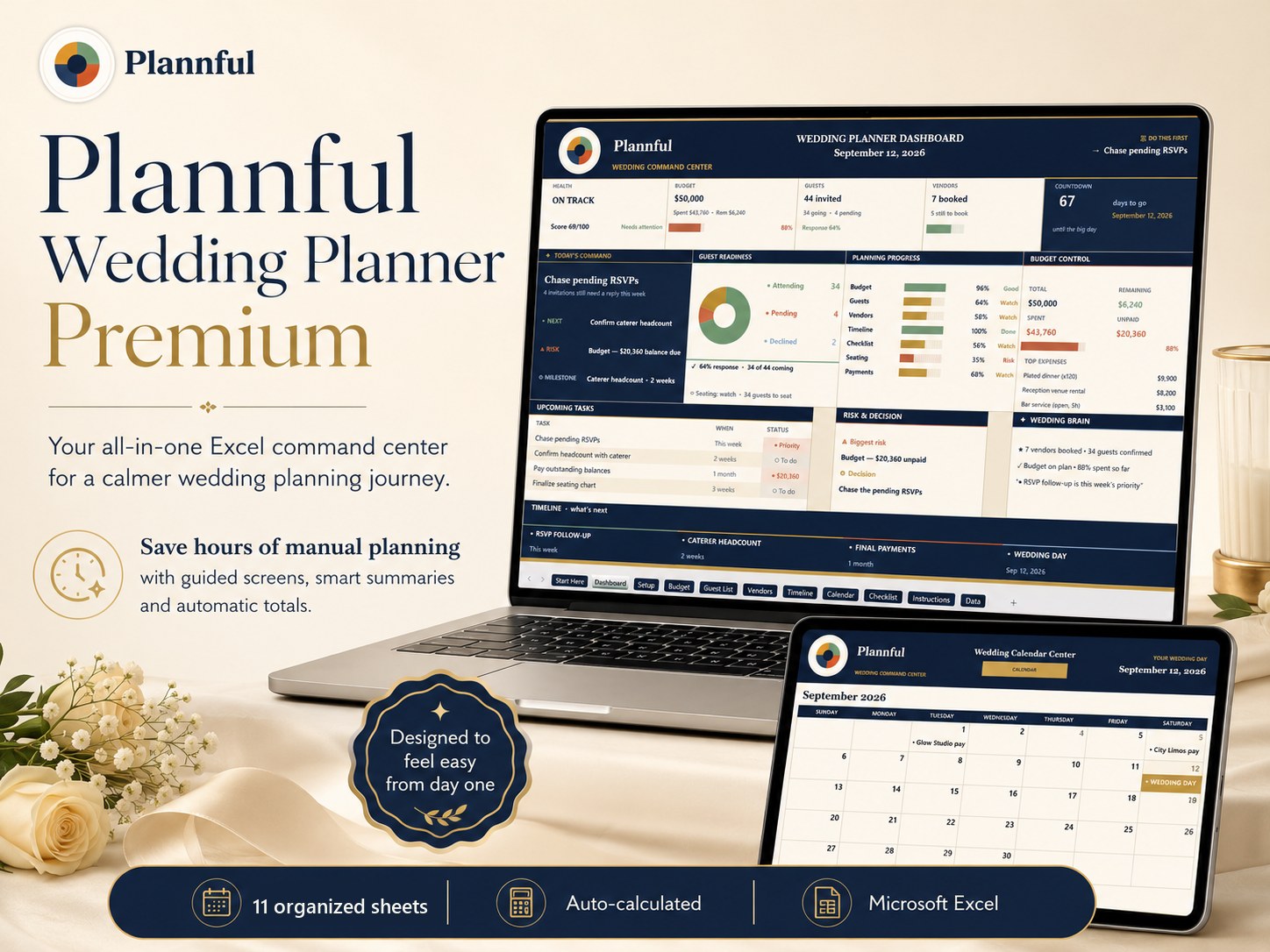
The Plannful Wedding Planner Premium for Microsoft Excel does the budget, guest list, timeline, calendar and checklist math for you — 10 organized working screens, real formulas, instant download.
See the Wedding Planner →Frequently asked questions
What makes a good free wedding budget spreadsheet?
Is there a truly free wedding budget calculator?
Should I use a free spreadsheet or a paid wedding template?
Planning your whole wedding?
Keep every part of your wedding — budget, guest list, vendors and timeline — organized in one Microsoft Excel workbook.
Plannful Wedding Planner for Microsoft Excel
- Budget Tracker
- Guest List
- Vendor Tracker
- Wedding Timeline
- Planning Calendar
- Checklist
Related guides & free tools
- How to Make a Wedding Budget (2026)How to make a wedding budget in 2026, step by step — set your number, split it by category
- Wedding Guest List Template (2026)What a great wedding guest list template tracks in 2026 — RSVPs, meal choices, plus-ones,
- How to Make a Wedding Seating Chart (2026)How to make a wedding seating chart in 2026 — when to start, how many per table, a simple
- Wedding Planning Checklist & Timeline (2026)A month-by-month wedding planning checklist and timeline for 2026 — what to do 12 months o
- Average Wedding Cost by US State in 2026: A State-by-State BreakdownThe average US wedding cost $33,000 in 2026, but ranges from $15,000 in Utah to $55,000 in
- Who Pays for the Wedding? Traditional vs Modern Splits in 2026Traditional etiquette vs the 2026 reality: couples now pay ~50% of wedding costs, the brid
- Free Wedding Budget CalculatorFree tool · no signup
- Wedding Cost Estimator by Guest CountFree tool · no signup
Free cheat sheet
Get the 1-page wedding budget cheat sheet
Join the Plannful list for a simple breakdown of how to split your wedding budget by guest count — plus the occasional template discount. No spam, unsubscribe anytime.