Personal Finance
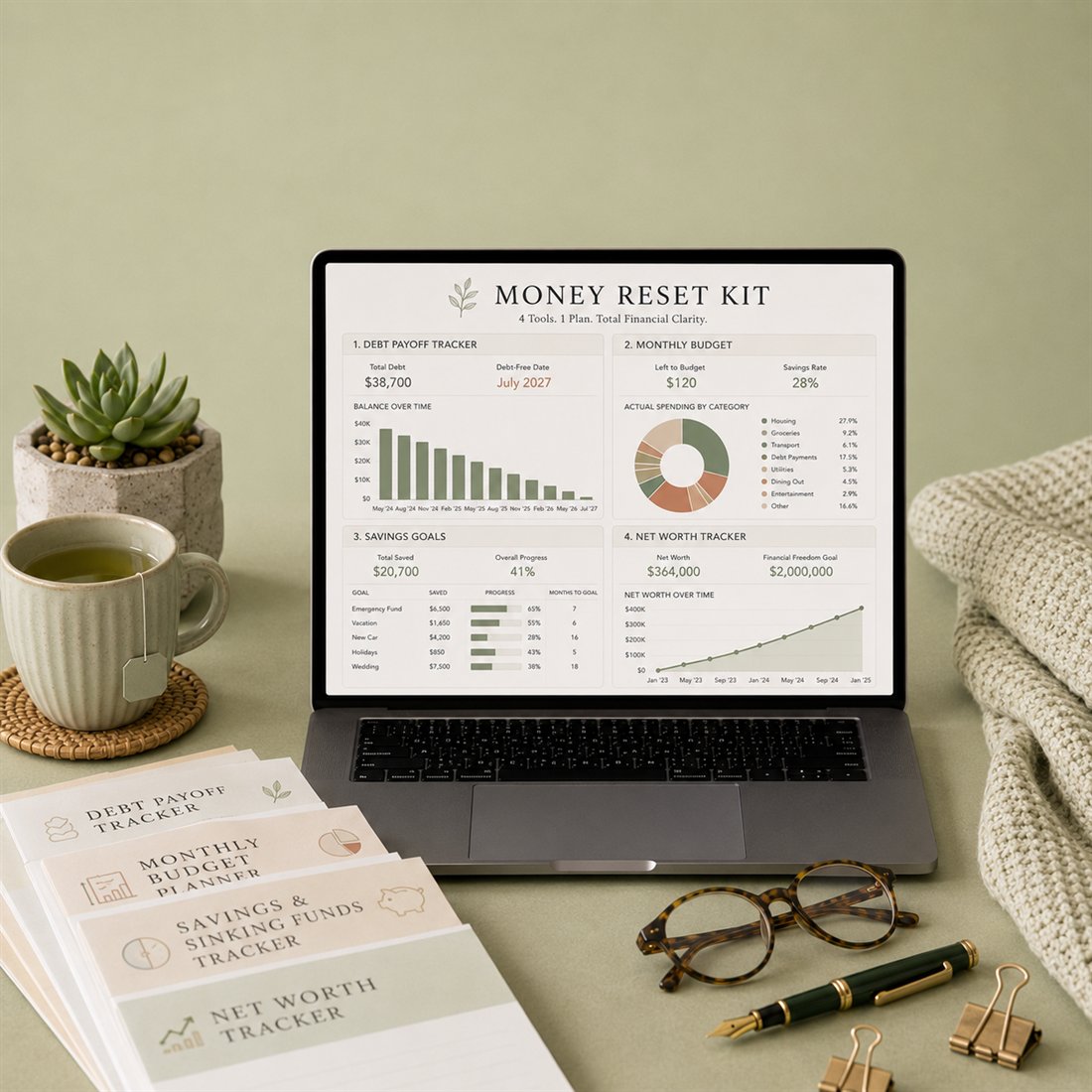
Money Reset Kit
Four tools in one: budget, debt payoff, savings and net worth — a full money reset.
Coming soon
View
Exactly what you'll open — real screenshots in Microsoft Excel.
Plan every savings goal and sinking fund with progress bars that keep you on track.
This template is not available yet. The Wedding Planner Premium for Microsoft Excel is available now.
See the Wedding PlannerFor personal use only. This is a digital spreadsheet template — no physical product is shipped. Charts may render slightly differently in Apple Numbers.
A product video is on the way — this is a preview clip.
| Format | Microsoft Excel (.xlsx) |
|---|---|
| Delivery | Instant digital download |
| Tabs / sections | 6 working screens |
| Example data | Included — type right over it |
| Instructions | Step-by-step, inside the file |
| License | Personal-use license |
Personal Finance
Four tools in one: budget, debt payoff, savings and net worth — a full money reset.
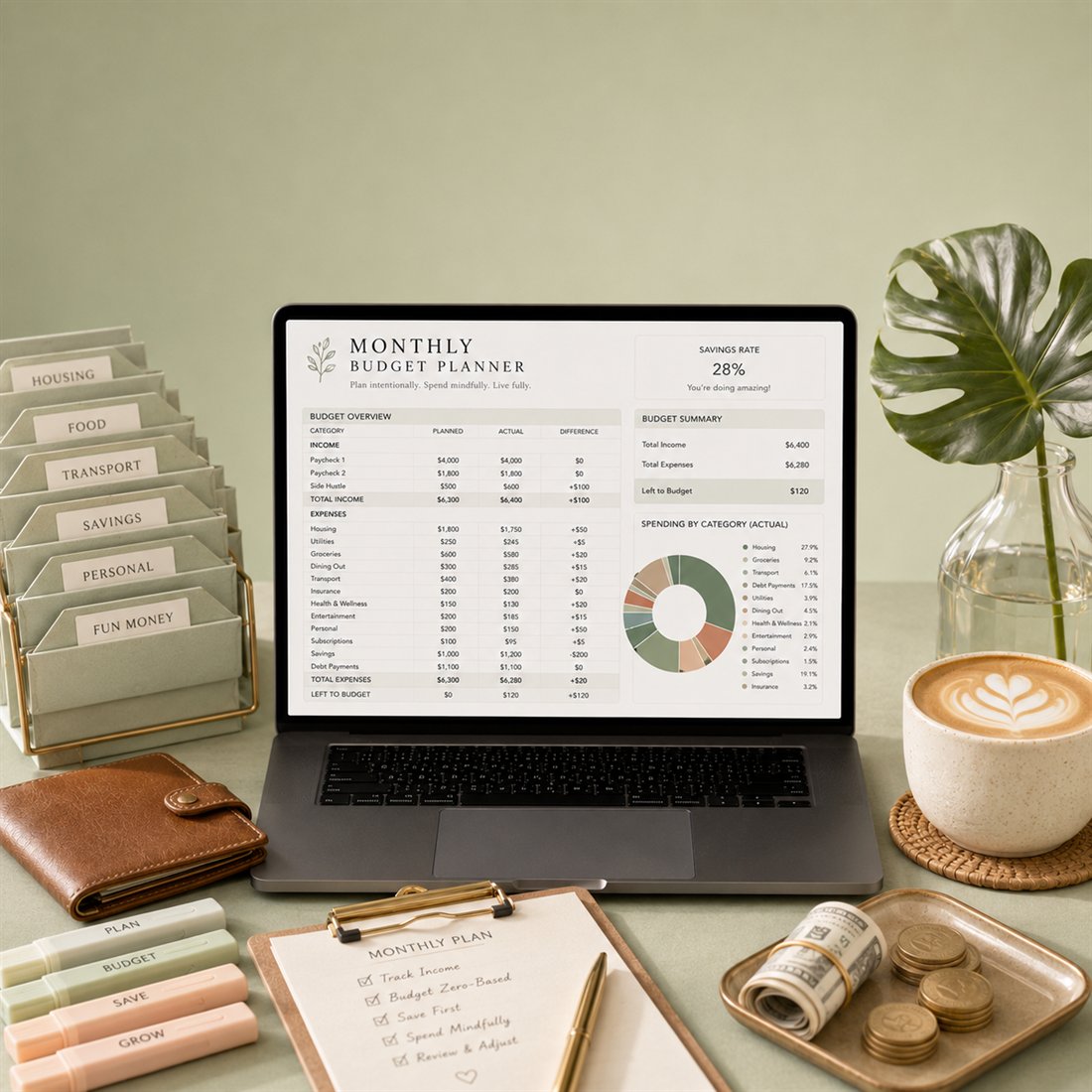
A clean monthly budget with categories, a spend donut and money left to spend.

Track assets vs liabilities and watch your net worth grow, month after month.
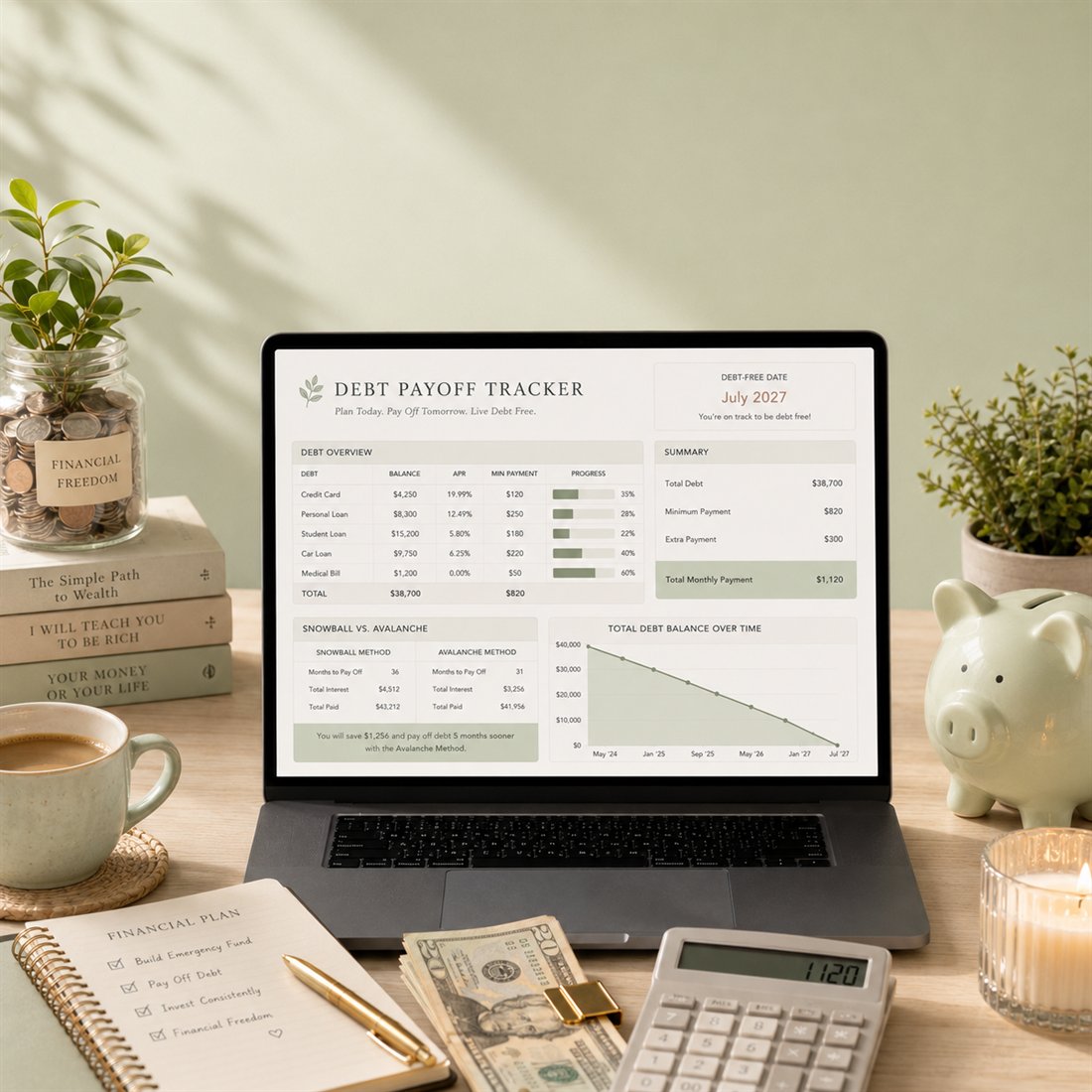
Snowball or avalanche — see balances shrink and your debt-free date get closer.