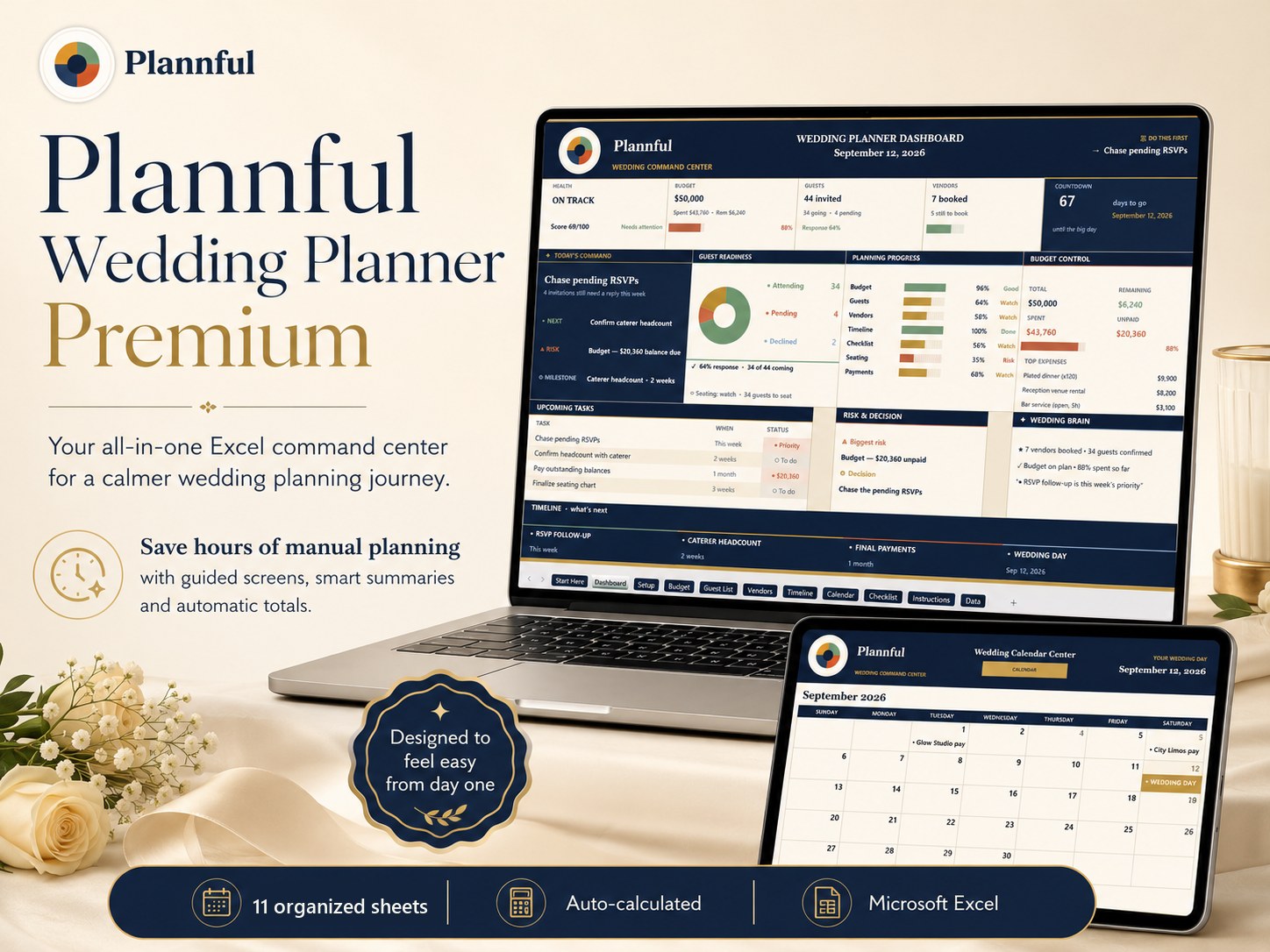
Exactly what you'll open — real screenshots in Microsoft Excel.
Weddings
Wedding Planner Premium
Your whole wedding in one premium Microsoft Excel workbook: budget, guests & RSVP, vendors, timeline and an editable planning calendar.
- Designed for clear, calm planning
- Protected formulas · no macros
- Instant download
- Light & Dark · EN/ES/FR/DE
$9
Instant download
- Instant download
- Built for Microsoft Excel
- Clear setup instructions included
Buyer start checklist included — clear setup instructions to get going in minutes.
Microsoft Excel
- 10 organized working screens that work together as one calm command center, plus a hidden Data reference sheet you never need to open
- See total spend, money left and guest counts update automatically as you type
- An editable planning calendar: add your own events, navigate months, and see 'This month at a glance' plus a 12–24 month roadmap
- Editable input fields (marked with a check) with protected formulas so your numbers stay correct — no macros
For personal use only. This is a digital spreadsheet template — no physical product is shipped. Charts may render slightly differently in Apple Numbers.
What's included
Start Here
Dashboard
Setup
Budget
Guest List
Vendors
Timeline
Calendar
Checklist
Instructions
How it works
- Fill in Setup — your wedding date, budget and guest target power the whole workbook
- Add your budget, guests, vendors, timeline and checklist; the Dashboard updates automatically
- Use the Calendar's View Month selector and Planning Events table to plan across the months
Who it's for
- Couples planning their own wedding
- Anyone who wants one organised file instead of ten scattered notes
Specifications
| Format | Microsoft Excel (.xlsx) |
|---|---|
| Delivery | Instant digital download |
| Tabs / sections | 10 working screens + 1 hidden reference sheet |
| Example data | Included — type right over it |
| Instructions | Step-by-step, inside the file |
| License | Personal-use license |
Questions & answers
Do I need to be good with spreadsheets?
No — example data is filled in and there are step-by-step instructions inside. You just type over the examples.
What do I need to open it?
It is built for Microsoft Excel (the desktop version gives the best experience), on Mac or Windows. No macros — it opens cleanly.
What's included?
A premium Excel workbook (.xlsx) plus README_FIRST, a start checklist and a what's-included guide. Instant digital download.
What do I get and how?
An instant digital download — no physical item. After checkout you can download the spreadsheet file straight away and open it in Microsoft Excel.
Can I edit it?
Yes. Editable planning fields are clearly marked, while formulas and calculated areas are protected to help prevent accidental changes. Licensed for personal use.