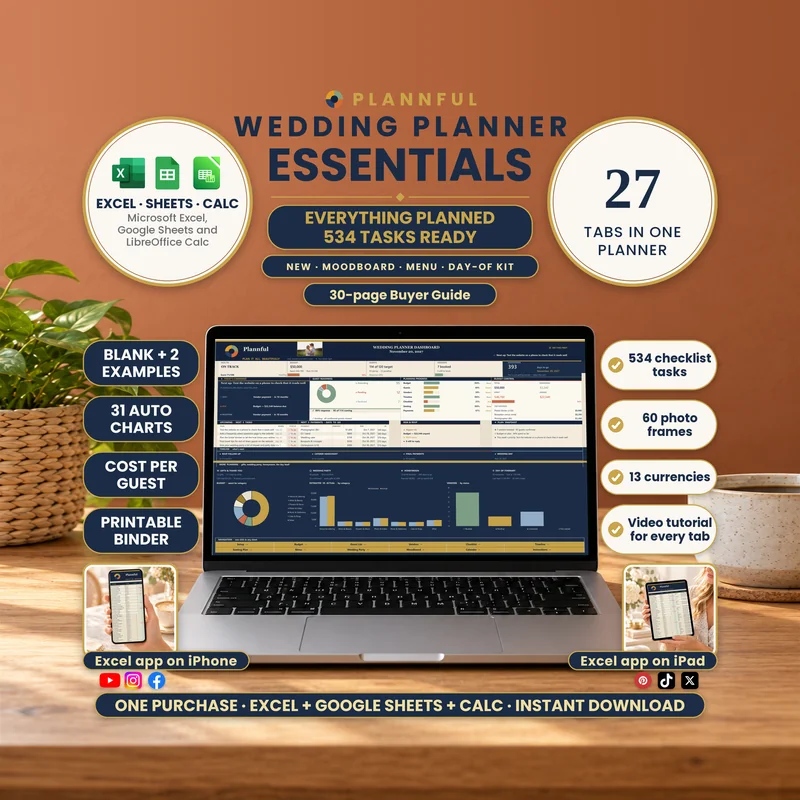
Real screenshots of the sheets.
Weddings
Wedding Planner Essentials
Plan your whole wedding in one spreadsheet. Wedding Planner Essentials has 27 tabs that work together: type your wedding date and budget once, and the Dashboard, Calendar and every deadline follow. It comes for Microsoft Excel, Google Sheets and LibreOffice Calc.
- Three programs
- Instant download
$17.99
Instant download
- Instant download
- One wedding plan, three spreadsheet options: Microsoft Excel, Google Sheets and LibreOffice Calc
- A BLANK planner with 534 ready-made checklist tasks and two filled examples
- The BLANK in navy and gold plus four more colors for Excel
- A 30-page Buyer Guide, a Read Me First, a Google Sheets Guide, printable checklists and editable wedding stationery
Read Me First guide included — a short guide (PDF) to the whole download.
Microsoft ExcelGoogle SheetsLibreOffice Calc
- 27 tabs that work together: your wedding date and budget flow into the Dashboard, the Calendar and every deadline
- Budget and Payment Plan: every cost with estimate, actual and paid, who pays what, deposits and balances with due dates
- Guest List (up to 1,200 rows) with hotel blocks and guest travel and rides, Seating Plan (up to 100 tables), Save-the-Dates with an invitation column, Gifts & Thank-you notes with a gift registry, and address labels ready to print
- Vendors with two 1-5 ratings, availability, who handles each one and a photo frame for each service, a Vendor Toolkit (appointments, questions to ask, tipping guide) and contract checks
- Timeline and Day-of Itinerary, a Calendar, a Year View, a 534-task Checklist with an owner, days left and notes for each task, a Wedding Party with attire, hair and make-up, and a Honeymoon plan
- NEW: a Moodboard with 12 photo frames, an 8-color palette, fonts, a logo frame, an outfit photo frame for the couple and for each party member, and a decor, signs and flowers list; a Menu with a diet check and cost per guest; Music & Shots (15-moment playlist and a 50-photo shot list) and a Day-of Kit (packing lists for both partners and the honeymoon)
- Venue Comparison with photos of your first 8 venues, and a print-ready Wedding Summary: 11 sections on US Letter, all filled in from your other tabs
- Add your couple photo to the Dashboard, photos of your first 8 venues to Venue Comparison and a photo for each vendor service (in Excel: right-click a frame, Change Picture)
- A Dashboard with health, countdown, upcoming tasks and payments, charts, a navigation menu, your color palette and a meal menu
- Pick your country or currency in Setup (US dollar, euro, pound, Canadian and Australian dollar, Swiss franc, yen and more, or type your own symbol): every header and total follows. Amounts are not converted and no exchange rates are fetched
- Friendly to any couple: it says Partner 1 and Partner 2 and you type any names
- No macros. You type in the cells marked with a pencil; everything else calculates by itself
This is a digital spreadsheet product, not a standalone wedding planning app — no physical product is shipped. Desktop use is recommended for the full planning and photo-customization experience.
What's included
Read Me First (PDF): where to start
Microsoft Excel: 7 .xlsx files — the main Navy & Gold BLANK planner (with 534 checklist tasks ready), 4 additional BLANK color versions (Sage, Teal, Plum and Charcoal) and 2 fully filled wedding examples: Alex & Jordan (114 guests) and Maya & Ethan (192 guests)
Google Sheets: 3 private-copy links — BLANK, FILLED EXAMPLE and FILLED EXAMPLE 2 — in a dedicated Google Sheets Guide (PDF)
LibreOffice Calc: 3 .ods planners — BLANK, FILLED EXAMPLE and FILLED EXAMPLE 2
The Buyer Guide (PDF, 30 pages) with screenshots: every tab explained
BONUS: a 34-page Printable Wedding Checklists PDF, 3 editable Save-the-Date cards (5 x 7 in), 3 editable Invitations (5 x 7 in), 1 editable Thank You Card (5 x 7 in), an editable Guest Book Page in 2 versions (Navy & Gold and Print Friendly) and a one-page Bonus Guide
Your 27 tabs
- Start HereThree steps to get going, what is inside, your setup status and a button to every tab. Your couple photo sits next to the title.
- DashboardHealth, budget, guests, vendors and a countdown; today's command, guest readiness, planning progress and budget control; five upcoming tasks and payments; charts, a navigation menu, your Moodboard color palette and the dishes you chose in Menu.
- SetupNames, wedding date, total budget, guest target (0–1,200), ceremony venue and your country or currency; the settings that power the rest of the planner.
- BudgetEvery cost with estimate, actual price and payments; totals, what remains, who pays what and the chosen quotes from Vendors. Room for 150 costs.
- Payment PlanFor every Budget line: a deposit, a second payment and the final balance, each with a due date and a paid mark, plus a month-by-month chart.
- Guest ListSide, party, RSVP, meal, contact, table, travel and rides for every household; response rate, follow-ups, a table roster for up to 100 tables and hotel room blocks. Room for 1,200 rows.
- Gifts & Thank-youLog each gift, keep a gift registry and track the thank-you note and the mailing address on the same row as the guest.
- EnvelopesComplete addresses laid out on standard 30-per-sheet labels (US Letter), with an address check.
- VendorsQuote, deposit, balance, due date, status, two 1 to 5 ratings, availability, who handles each vendor and a photo frame for each service; payment alerts and a compare-quotes table. Room for 60 vendors.
- Vendor ToolkitVendor appointments, ten questions to ask per service, red flags and a tipping guide.
- Contracts & ContactsWho to call and 7 contract checks for every vendor, plus a one-page Vendor Card.
- TimelineYour wedding-day run-of-show (100 rows), upcoming milestones, the next 24 planning tasks and a run-of-show check.
- Day-of ItineraryYour Timeline sorted by the clock, with who does what, day-of contacts and a plan B.
- CalendarA calendar of the month you choose with tasks, payments, events and key dates, with filters. Room for 82 events.
- Year ViewTwelve months on one page with the wedding day, RSVP and headcount dates, milestones and every dated item.
- Checklist534 ready-made wedding tasks by phase, each with an owner, days left and notes; progress, what is due and overdue and your next actions.
- Wedding PartyUp to 40 people with role, side, contact, status, attire, hair style, make-up, notes and gift.
- HoneymoonThe trip in your own currency or the local one, with budget, planned and left to spend. Room for 40 lines.
- MoodboardTwelve photo frames with captions, an 8-color palette with codes, fonts and a logo frame, an outfit photo frame for the couple and for each party member, and a decor, signs and flowers list.
- MenuFive courses of dishes with diet tags, the chosen dishes with cost, cost per guest and a diet check against your guests.
- Music & ShotsA playlist of 15 moments with a do-not-play list, and a 50-photo shot list in 7 groups.
- Day-of KitPacking lists of 25 items for each partner and the honeymoon, with a progress ring for each bag.
- Venue ComparisonUp to 40 venues side by side with site fee, cost per guest and a score, and a band of photos of your first 8 venues.
- Wedding SummaryA print-ready summary in 11 sections (about 21 pages on US Letter with the example): vendors, payments, the wedding day, guests by table, wedding party, menu, moodboard and decor, playlist and shot list, honeymoon, day-of packing lists and venue comparison, all filled in from your other tabs.
- Save-the-DatesOne row per guest linked to Guest List, with sent date, an invitation column, RSVP-by date, days left and an RSVP chase list.
- Seating PlanEach guest's table, a table setup for up to 100 tables, who is not seated yet and a visual plan of 24 table cards.
- InstructionsA find-a-feature box, numbered cards, the recommended workflow and quick checks.
Video tutorials: the full walkthrough and 13 chapters
A full walkthrough plus a short video chapter for each group of tabs: 14 videos in one public YouTube playlist.
How it works
- Open the BLANK planner in your preferred program.
- Go to Setup and enter your names, wedding date, budget and guest target (0–1,200). Your RSVP-by and headcount-by dates fill in by themselves.
- Add your first guests, expenses and vendors, and review the 534 ready-made checklist tasks.
- Open your Dashboard to see your wedding plan come together. Keep the two FILLED EXAMPLES as references while you build your own plan.
Who it's for
- Couples who want their whole wedding plan in one spreadsheet
- Any couple: the planner says Partner 1 and Partner 2 and you type any names
- Anyone who wants to see the plan filled in first, with two sample weddings of 114 and 192 guests
Specifications
| Versions | Microsoft Excel (.xlsx) · Google Sheets · LibreOffice Calc (.ods) |
|---|---|
| Microsoft Excel | On a computer (Windows or Mac; Microsoft 365 recommended). You get 7 Excel files: a BLANK, four more BLANK colors and two filled examples. No macros. |
| Google Sheets | Plan in your web browser with a free Google account. You get 3 private-copy links (BLANK, FILLED EXAMPLE and FILLED EXAMPLE 2) in the Google Sheets Guide (PDF); make your own copy before editing. |
| LibreOffice Calc | On a computer; 3 .ods planners (BLANK, FILLED EXAMPLE and FILLED EXAMPLE 2) for those who prefer working with .ods files. |
| Macros | None |
| Delivery | Instant digital download |
| Tabs / sections | 27 tabs · 534 checklist tasks · 5 colors |
| Capacity | Guest List 1,200 rows · Seating Plan 100 tables · Budget 150 costs · Vendors 60 · Checklist 1,000 rows · Venue Comparison 40 venues |
| Example data | FILLED EXAMPLE (Alex & Jordan, 114 guests) and FILLED EXAMPLE 2 - Large Wedding (Maya & Ethan, 192 guests), next to the BLANK |
| Currency | Pick your country or currency in Setup: US dollar, euro, pound, Canadian and Australian dollar, Swiss franc, yen and more, or type your own symbol. Amounts are not converted and no exchange rates are fetched. |
| Language and printing | Everything is in English with US-style dates. The Excel and LibreOffice Calc files are set up for US Letter printing; in Google Sheets, choose US Letter in File › Print. |
| Instructions | Start Here and Instructions tabs, Read Me First, the Google Sheets Guide and the 30-page Buyer Guide |
Questions & answers
Which programs does it work in?
Microsoft Excel, Google Sheets and LibreOffice Calc. All three editions follow the same 27-tab planning structure; features and appearance may vary by program. Choose one version for your wedding: changes made in one program do not automatically sync to the other versions.
How many files do I receive?
Excel includes 7 .xlsx files: 5 BLANK color versions and 2 filled examples. LibreOffice Calc includes 3 .ods files. Google Sheets includes 3 copy links. Your download also includes the buyer guides and the printable and editable bonus files.
What is the difference between BLANK and the filled examples?
The BLANK is the one you use: empty except for 534 ready-made checklist tasks. The filled examples are the same planner with a complete sample wedding (Alex & Jordan, 114 guests; Maya & Ethan, 192 guests) so you can see how every tab works.
Can I edit it?
Yes. You type into the cells marked with a pencil; everything else calculates by itself. In Excel and Calc the sheets are protected with no password, so the formulas do not get overwritten by accident.
Does it have macros?
No. There are no macros, so there is nothing to enable.
Does it work for any couple?
Yes. It says Partner 1 and Partner 2 and you type any names.
How many guests, tables and vendors can I add?
Guest List holds 1,200 rows, Seating Plan up to 100 tables, Budget 150 costs and Vendors 60 vendors.
Can I use another currency?
Yes. Pick your country or currency in Setup — US dollar, euro, pound, Canadian and Australian dollar, Swiss franc, yen and more, or type your own symbol — and every header and total follows. Amounts are not converted and no exchange rates are fetched. Dates keep the US format, in English.
Can I use it on a phone or tablet?
For the full planner, charts, detailed calendar, picture frames and printing, we recommend a computer. Mobile use is best for quick viewing and simple updates: open the workbook in the Excel app on iPhone or iPad, or use the Google Sheets app.
Can I add my own photos?
Yes: your couple photo on the Dashboard, 12 Moodboard photos plus outfit frames, photos of your first 8 venues in Venue Comparison and a photo for each vendor service. In Excel on a computer, right-click a frame and choose Change Picture.
Does it print?
Yes. Everything is in English with US-style dates. The Excel and LibreOffice Calc files are set up for US Letter printing; in Google Sheets, choose US Letter in File › Print. The Wedding Summary prints in 11 sections (about 21 pages with the example) and the address labels are laid out for standard 30-per-sheet labels.
How do I get help?
Send us a message on Etsy or email hello@plannful.com. The 30-page Buyer Guide covers every tab, and we help with download and setup issues related to your purchase.
How do I get my files, and can I return them?
This is a digital download: nothing is shipped, and you get the files right after your purchase. Digital downloads are not returnable or exchangeable. If you have a problem with your order, contact us and we will help you resolve it.