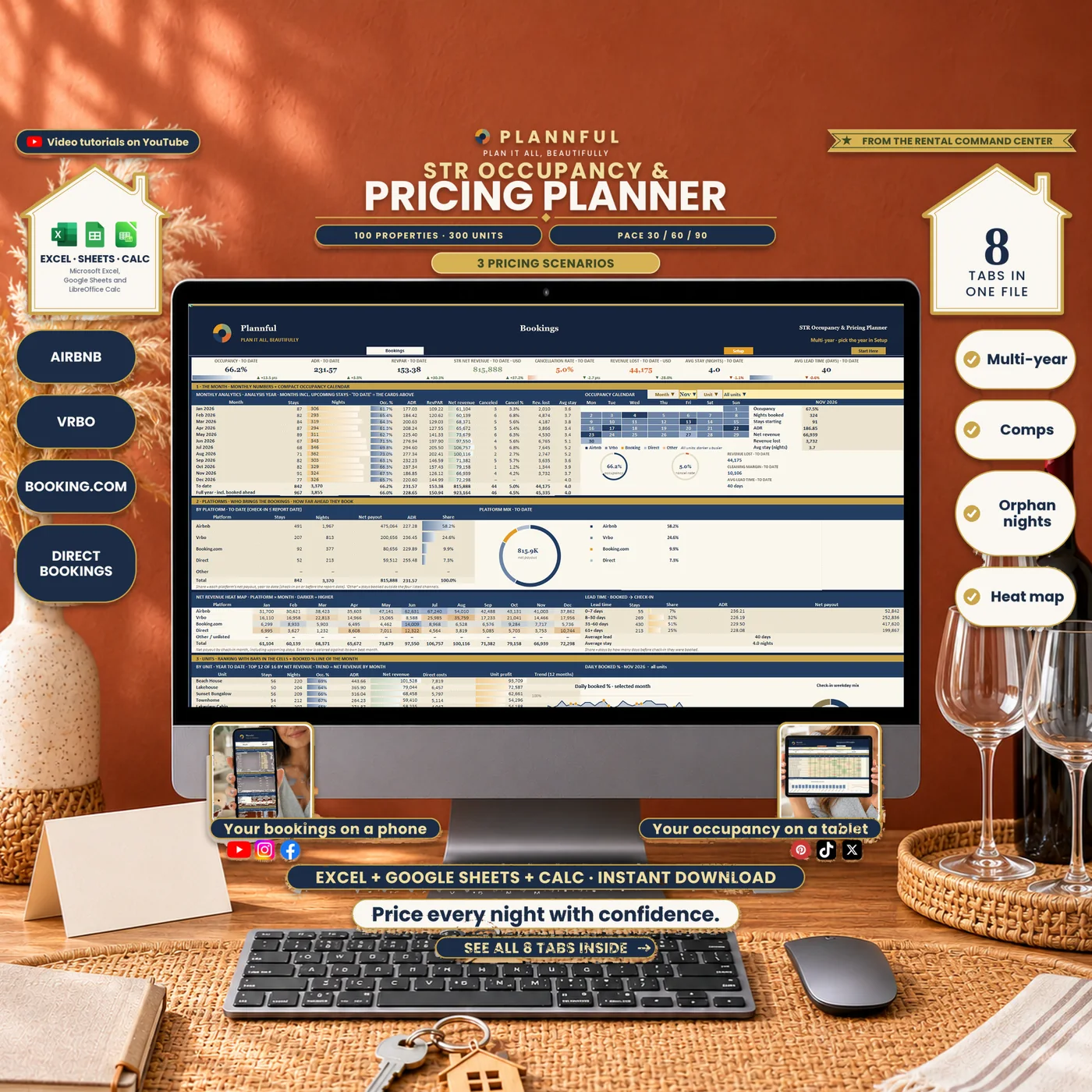
Real screenshots of the sheets.
Rentals
STR Occupancy & Pricing Planner
Decide whether to raise, hold or lower each nightly rate, based on your own bookings and occupancy. For Microsoft Excel, Google Sheets and LibreOffice Calc.
- 8 tabs in one workbook
- Instant download
$12.99
Instant download
- Instant download
- BLANK and FILLED EXAMPLE workbooks
- Free updates: if we improve this workbook, the new version is added to your Etsy downloads at no cost
Support: send us a message on Etsy or email hello@plannful.com.
Microsoft ExcelGoogle SheetsLibreOffice Calc
- 8 tabs in one workbook
- Data Check tab with 31 cross-check lines; each says OK when the numbers agree
- Two workbooks: BLANK (empty, ready for your data) and FILLED EXAMPLE (the same workbook with sample data)
- Works in any currency: pick one on Setup. Your amounts are not converted.
- Protected sheets with no password: you type only in the cells marked with a pencil or an arrow
- Prints on US Letter paper (A4 can be chosen on Setup)
- Works in Microsoft Excel, Google Sheets and LibreOffice Calc
This is a digital spreadsheet template: no physical product is shipped.
What's included
BLANK workbook (empty, ready for your data) and FILLED EXAMPLE workbook (the same workbook with sample data), each as a Microsoft Excel file (.xlsx) and a LibreOffice Calc file (.ods)
A PDF with your Google Sheets copy links (BLANK and FILLED EXAMPLE) and the video tutorial link
Your 8 tabs
- Start HereThree steps (set up, add your data, read the results) with buttons that jump to each tab.
- SetupYear to analyze, currency, booking platforms and fees, accounting basis, alert windows and mileage rate, set once. It also shows how much of the workbook capacity you have used.
- PropertiesYour property list with value, loan and NOI of each; the other tabs read from it.
- UnitsThe units or listings in each property, and which are listed, vacant or booked; the other tabs read from it.
- BookingsRevenue, ADR and RevPAR by stay, with a monthly view, an occupancy calendar and a platform mix.
- Rate PlanSet your rate rules and seasons; it says whether to raise, hold or lower each rate.
- Occupancy & STR InsightsWhich listings and months fill up, and the pace of your bookings.
- Data CheckCross-checks every tab against your registers. Each line says OK when the numbers agree and tells you where to look when it does not.
Plannful on YouTube
How it works
- Set the year and your currency on Setup.
- Add your properties and units, then each stay on Bookings.
- Set your rate rules and seasons on Rate Plan, and read Occupancy & STR Insights to see which listings and months fill up.
- Open Data Check and confirm every line says OK.
Who it's for
- Made for short-term rental hosts who price by hand and want their own numbers, not guesses, behind every rate change.
Specifications
| Versions | Microsoft Excel (.xlsx) · Google Sheets · LibreOffice Calc (.ods) |
|---|---|
| Microsoft Excel | On a computer (Windows or Mac). You get a BLANK and a FILLED EXAMPLE (.xlsx). No macros. |
| Google Sheets | You get a PDF with copy links for the BLANK and the FILLED EXAMPLE; each one makes your own copy in Google Drive. You need a free Google account. |
| LibreOffice Calc | On a computer. You get the same two workbooks as .ods files. |
| Apple Numbers | Not supported. |
| Delivery | Instant digital download |
| Tabs | 8 |
| Printing | US Letter (A4 can be chosen on Setup) |
| Currency | Any: pick one on Setup |
| Example data | FILLED EXAMPLE (the same workbook with sample data), next to the empty BLANK |
Questions & answers
Which programs does it work in?
Microsoft Excel on a computer (Windows or Mac). Google Sheets, in a web browser, with a free Google account. LibreOffice Calc on a computer. No macros. Apple Numbers is not supported.
What do I get?
BLANK workbook (empty, ready for your data) and FILLED EXAMPLE workbook (the same workbook with sample data), each as a Microsoft Excel file (.xlsx) and a LibreOffice Calc file (.ods). A PDF with your Google Sheets copy links (BLANK and FILLED EXAMPLE) and the video tutorial link.
Can I use my own currency?
Yes. Pick your currency on Setup; the workbook works in any currency and your amounts are not converted.
Can I change the formulas?
The sheets are protected with no password; you type in the cells marked with a pencil or an arrow.
Can I return it?
Digital downloads cannot be returned or refunded. If something does not work, write to us and we will help: send a message on Etsy or email hello@plannful.com.