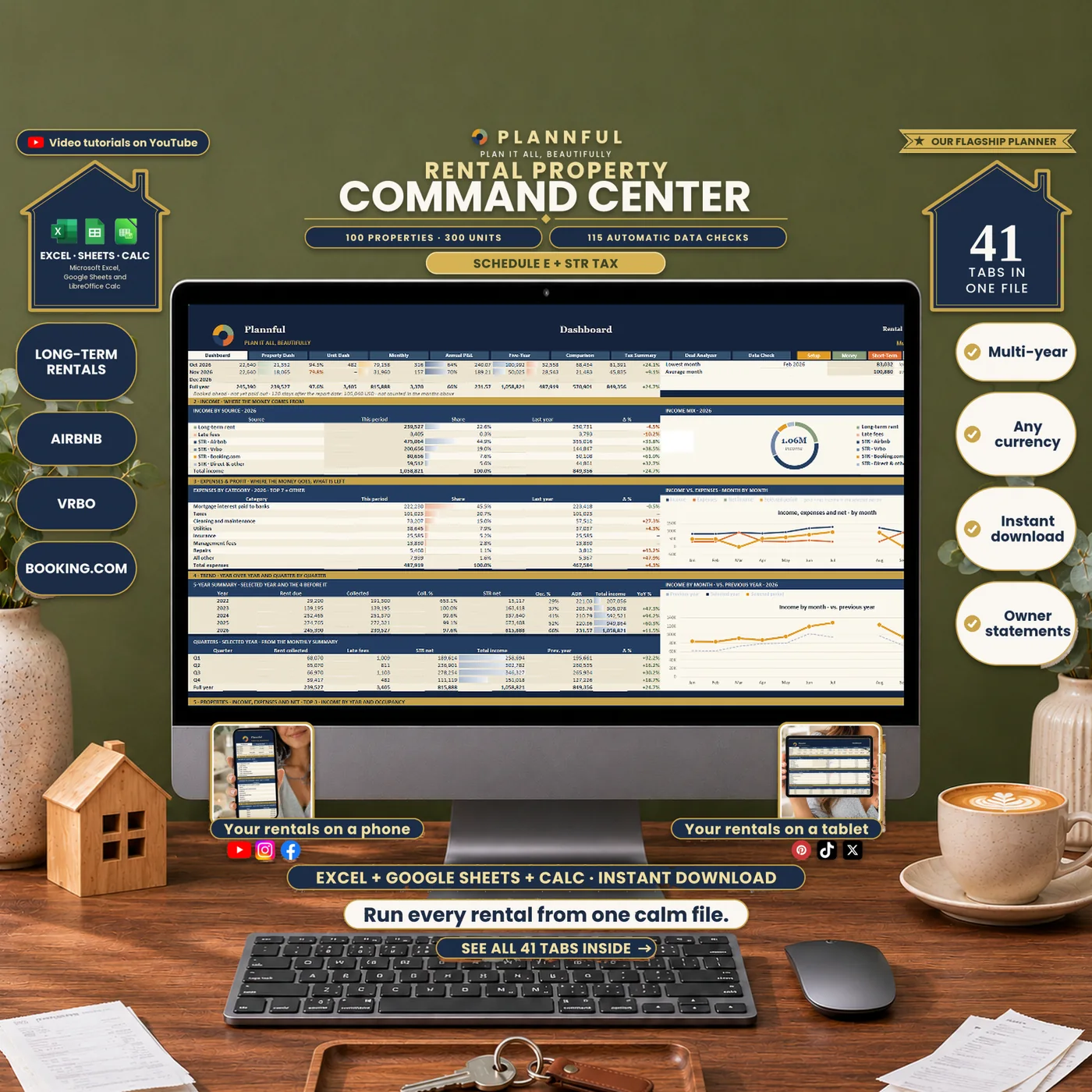
Real screenshots of the sheets.
Rentals
Rental Property Command Center
One workbook for long-term rentals and short-term stays: rent ledger, leases, deposits, Airbnb bookings, cleaning, expenses, mileage, tax summary, deal analysis and dashboards, all connected. For Microsoft Excel, Google Sheets and LibreOffice Calc.
- 41 tabs in one workbook
- Instant download
$49.99
Instant download
- Instant download
- BLANK and FILLED EXAMPLE workbooks
- Free updates: if we improve this workbook, the new version is added to your Etsy downloads at no cost
Support: send us a message on Etsy or email hello@plannful.com.
Microsoft ExcelGoogle SheetsLibreOffice Calc
- 41 tabs in one workbook
- Two workbooks: BLANK (empty, ready for your data) and FILLED EXAMPLE (the same workbook with sample data)
- Works in any currency: pick one on Setup. Your amounts are not converted.
- Protected sheets with no password: you type only in the cells marked with a pencil or an arrow
- Prints on US Letter paper
- Works in Microsoft Excel, Google Sheets and LibreOffice Calc
- Google Sheets: In Google Sheets each register holds up to 1,000 rows. The first time you open your copy, Google takes about 1–2 minutes to calculate; after that it is instant.
This is a digital spreadsheet template: no physical product is shipped. The Tax Summary is an informational summary, not tax advice.
What's included
BLANK workbook (empty, ready for your data) and FILLED EXAMPLE workbook (the same workbook with sample data), each as a Microsoft Excel file (.xlsx) and a LibreOffice Calc file (.ods)
A PDF with the quick-start steps, the Google Sheets copy links (BLANK and FILLED EXAMPLE) and the video tutorial link
Your 41 tabs
- Start HereThree steps (set up, add your data, read the results) with buttons that jump to each tab.
- SetupPortfolio name, year to analyze, currency, rent due day, grace days, late-fee rules, alert windows and mileage rates, set once. It also shows how much of the workbook capacity you have used.
- PropertiesYour property list; the other tabs read from it.
- UnitsThe units in each property; the other tabs read from it.
- Tenants & LeasesLease register with an automatic status (active, ending soon, upcoming, expired, moved out), a rent increase calculator for every long-term unit at once, a notice timeline for the next rent-increase notices, a comparables register and renewal reminders.
- Rent LedgerPick a tenant and see the account statement: rent charged, late fee, payments, days late and balance, with the amount brought forward from earlier years. Also collection rate, units in arrears, oldest overdue and on-time rate, plus a month-by-month view of who owes.
- Payments LogOne row per payment received, applied to the month it pays for, with a received-by-month summary. It feeds the Rent Ledger.
- ReceiptsPrint-ready receipts and a tenant statement, filtered by unit and dates.
- BookingsYour short-term stays: monthly numbers with a compact occupancy calendar, platforms, a ranking of units and lead time and cancellations.
- Airbnb ImportPaste your Airbnb transaction history (CSV export) and the tab checks each row: ready to import, needs attention or already in Bookings.
- ExpensesOne row per bill, with a by-month view and a by-category view. The categories start as the IRS Schedule E lines and you can edit them in Setup.
- TransfersOwner contributions and draws, kept out of the profit and loss.
- Security DepositsDeposits on file, pending return, overdue returns and interest owed. Pick your state for the return rules (return days, claim notice, objection window), and print an itemized statement for one deposit.
- Bank Accounts & CardsDeposits and withdrawals by account, with card charges counted as withdrawals.
- MaintenanceOpen repairs (oldest first), repairs by month, a vendor list with license and insurance expiry alerts, and a register with one row per ticket.
- Maintenance PlusRepair cost by who paid (owner, manager or co-host, tenant, insurance, vendor warranty), invoice details per ticket and a move-in / move-out inspection of 45 points in 8 zones.
- Rental OverviewRent follow-up and vacant units, leases ending soon, maintenance follow-up, a portfolio snapshot and alerts.
- DashboardCollections, income, expenses and profit, year-over-year and quarter-by-quarter trends, top properties, alerts and a year-at-a-glance heat map. Pick the year or any dates.
- Property DashboardOne property against another one you pick, for the same dates, plus a table of all properties.
- Unit DashboardIncome by source and expenses by category for one unit, and a month-by-month view.
- MonthlyExpenses by category, profit goal progress and top performers for the month, plus the expense mix and cash flow against the month before.
- Annual P<he year's income and expenses by property, checked against your registers.
- Five-YearFive years of income, expenses and profit, with goals by year (and by property if you like) and progress against each goal.
- ComparisonThree periods side by side (any dates), then two properties for the first period.
- Occupancy & STR InsightsHeat map of every short-term listing by month: busy, middle or empty, with days vacant.
- Tax SummaryDeductions by category and property (16 properties per view), income against deductions, a hand-off for your CPA (set-asides, capital improvements and depreciation over 27.5 years, 1099-NEC for contractors paid 600 or more), days rented and the 14-day rule, and quarterly set-asides. Informational summary, not tax advice.
- STR TaxLodging tax by property, remittances by month, rented days and a guest stay log.
- Owner StatementOne property, one month, print-ready on Letter paper: income, expenses by category and net to owner, month and year to date.
- MileageA trip log (odometer or one-way distance, round trip counted twice, tolls and parking), mileage by month with the estimated deduction, a vehicle list and a participation-hours register with 100-hour and 500-hour tests.
- Mileage PlusIRS or CRA mileage rate profiles by effective date, business versus personal distance by month and deduction by vehicle.
- Deal AnalyzerCompare up to three purchases, long-term or short-term: cap rate, cash-on-cash, DSCR, payback, 5- and 10-year IRR, deal score and the maximum offer. One deal in detail: loan amortization, a 5- and 10-year projection and stress tests.
- Turnovers & CleaningCheck-out agenda (same-day turnovers flagged), cleaner team with pay rates and quality, cleaning assignments, damage and lost-and-found, a room-by-room checklist to print, photo log, key access log and deep-clean schedule.
- Turnovers PlusTurnovers and cleaning cost by month (fee charged versus cleaner pay), quality by cleaner, same-day turnovers by property, message templates, inspections and a deep-clean cycle.
- Booking CalendarMonth view with each stay as a bar, and a year view of occupancy by unit and month.
- Recurring CostsFixed bills that repeat. Each bill marked 'To Expenses = Yes' is charged to Expenses by itself once per due date.
- Supplies & InventoryInventory register, a reorder list (largest order first), a missing-and-damaged list and your own category and location lists.
- Supplies PlusWhat supplies cost by month and by category, a supplier directory, cost per night and per stay and item photo links.
- Rate PlanSeason, weekend, last-minute and event rules turned into a rate calendar, a floor and ceiling per listing from your comps, a raise / hold / lower call and three scenarios for ADR, occupancy, RevPAR and net.
- Data CheckCross-checks every tab against your registers. Each line says OK when the numbers agree.
- Booking InsightsStay length, check-ins by day of the week, lead time, what each platform costs you and cleaning-fee margin.
- Budget vs ActualBudget against actual by category and by month, with green, amber and red status lights.
Plannful on YouTube
How it works
- Set your properties and rules once on Setup; the rest follows.
- Gold cells marked with a pencil or an arrow are the only cells you type in.
Specifications
| Versions | Microsoft Excel (.xlsx) · Google Sheets (links in the PDF) · LibreOffice Calc (.ods) |
|---|---|
| Microsoft Excel | On a computer (Windows or Mac). You get a BLANK and a FILLED EXAMPLE (.xlsx). No macros. |
| Google Sheets | Yes: open the copy link in the PDF and click Make a copy. In Google Sheets each register holds up to 1,000 rows. The first time you open your copy, Google takes about 1–2 minutes to calculate; after that it is instant. |
| LibreOffice Calc | On a computer. You get the same two workbooks as .ods files. |
| Apple Numbers | Not supported. |
| Delivery | Instant digital download |
| Tabs | 41 |
| Printing | US Letter |
| Currency | Any: pick one on Setup |
| Example data | FILLED EXAMPLE (the same workbook with sample data), next to the empty BLANK |
Questions & answers
Which programs does it work in?
Microsoft Excel on a computer (Windows or Mac). LibreOffice Calc on a computer. Google Sheets: the copy links are inside the PDF. In Google Sheets each register holds up to 1,000 rows. The first time you open your copy, Google takes about 1–2 minutes to calculate; after that it is instant. No macros. Apple Numbers is not supported.
What do I get?
BLANK workbook (empty, ready for your data) and FILLED EXAMPLE workbook (the same workbook with sample data), each as a Microsoft Excel file (.xlsx) and a LibreOffice Calc file (.ods). A PDF with the quick-start steps, the Google Sheets copy links and the video tutorial link.
Can I use my own currency?
Yes. Pick your currency on Setup; the workbook works in any currency and your amounts are not converted.
Can I change the formulas?
The sheets are protected with no password; you type in the cells marked with a pencil or an arrow.
Can I return it?
Digital downloads cannot be returned or refunded. If something does not work, write to us and we will help: send a message on Etsy or email hello@plannful.com.